Business Phone Number Porting
We coordinate the transfer of eligible existing phone numbers to the new service. We confirm the numbers, account details, documentation, and planned timing before the port is submitted.
Your phone system should help customers reach the right person and give employees a dependable way to communicate in and out of the office. We design and implement ESI business phone systems around your users, locations, call flow, and day-to-day operations.

We help replace aging or difficult-to-manage phone systems with a modern VoIP platform. VoIP stands for Voice over Internet Protocol, meaning calls run through an internet-connected phone service rather than a traditional phone line.
Plan Your Business Phone SystemHow We Handle It
Supported ESI cloud phone systems can give employees access to business calling through desk phones, smartphone apps, or computer-based softphones. Available options depend on the selected platform, seat, and license.
Discuss Remote Phone OptionsHow We Handle It
We configure how incoming calls move through the business so customers can reach the right person, department, or location. The system can follow different rules during business hours, after hours, holidays, or overflow periods.
Improve Your Call FlowHow We Handle It
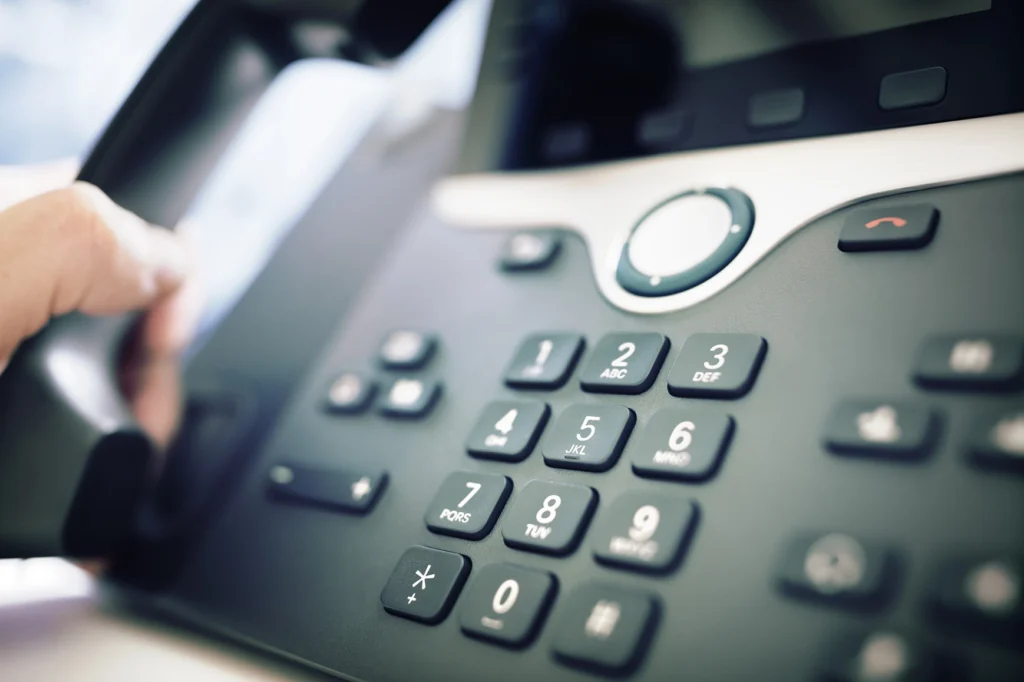
Business calls may support customer service, scheduling, sales, dispatch, healthcare, professional services, or daily operations. Missed calls, confusing menus, and inflexible routing can create problems for employees and customers.
We begin with the way your business handles calls today. We learn who needs a phone, which numbers need to move, how departments and locations work together, and what should happen when someone is unavailable.
Then we design the phone system around those requirements. Depending on the selected ESI platform and licensing, the system can include desk phones, mobile access, voicemail, voicemail-to-email, auto attendants, call queues, conferencing, texting, electronic fax, and other business communication features.
Talk to Our TeamWe coordinate the transfer of eligible existing phone numbers to the new service. We confirm the numbers, account details, documentation, and planned timing before the port is submitted.
We configure extensions, direct phone numbers, outbound caller ID, and user assignments so employees can make and receive calls through the appropriate business identity.
We can configure automated greetings, menus, queues, and routing rules that send callers to the right department, employee, or location. Available features depend on the selected service and licensing.
We configure voicemail boxes and supported voicemail-to-email features so employees can clearly receive and manage missed-call messages.
Supported ESI cloud deployments can provide smartphone applications and computer-based softphones. These tools let approved employees use business calling features away from a desk phone when included in their service.
Text messaging, conferencing, call recording, electronic fax, and other communication features may be available depending on the selected platform and licenses. We confirm required features during planning instead of assuming every option is included.
We document and configure emergency-service addresses for supported users and locations. Accurate address information is especially important when phones or applications can be used away from the main office.
Supported ESI eCloud PBX deployments include eConsole, a browser-based portal for licensed functions such as voicemail, contacts, answering rules, time frames, and call history.
CAIRO answers calls 24/7, handles common questions, routes callers, and schedules appointments so your team can focus on other work.
We document users, locations, existing and new phone numbers, device preferences, E911 addresses, departments, business hours, and required calling features.
Auto attendants, direct numbers, queues, and routing rules can direct calls based on department, location, business hours, or employee availability.
Licensed mobile and softphone options can give approved employees access to business calling while working remotely or moving between locations.
A shared cloud phone system can connect extensions, phone numbers, routing rules, and users across supported business locations.
You can adjust users, devices, numbers, locations, and licensed features as your communication needs change.
ESI manufactures and configures the devices and provides the hosted phone platform. We serve as your technology partner throughout the project by gathering requirements, designing the solution, preparing the network, installing devices, testing the system, and supporting the transition.
After onboarding, ESI provides ongoing platform support. We remain your primary contact and can coordinate with ESI when you need help. Clients also have the option to contact ESI directly.
You can purchase phone hardware outright or finance it through the ESI contract. When you finance hardware, ownership transfers to the client at the end of the initial contract term.
Talk to Our Team
A VoIP phone system uses an internet connection to place and receive business calls. It can support desk phones, mobile applications, computer-based softphones, voicemail, call routing, auto attendants, and other features through one managed platform.
In many cases, yes. We coordinate the porting of eligible existing numbers to the new service. Porting requirements and timing depend on the current carrier, account information, documentation, and number eligibility.
Supported ESI cloud deployments can include smartphone applications and computer-based softphones. Availability depends on the selected platform, seat type, license, and device requirements.
Yes. A cloud-based phone system can connect users, extensions, numbers, and call routing across multiple supported locations. We design the setup around how each office and department handles calls.
Auto attendants and call routing are available with supported ESI services. We can configure greetings, music, business hours, holiday schedules, queues, transfers, and overflow rules based on the selected features.
Electronic fax may be available as an optional feature. We confirm your fax requirements during planning because traditional fax machines, specialized equipment, and regulated workflows may require a different approach.
VoIP service depends on network and internet connectivity. Available continuity options may include call forwarding, mobile applications, or alternate internet connections, depending on the selected service and network design. We review these requirements during planning.
ESI provides ongoing platform support after onboarding. We remain your primary contact and liaison, so you can contact our team when you need help. You also have the option to contact ESI directly.
You can purchase the hardware outright or finance it through your ESI contract. If the hardware is financed, you own it at the end of the initial contract term.
Yes. We are based in Tulsa, OK, and support businesses across multiple states. We can often handle planning, configuration, training, and support remotely, with on-site installation coordinated when needed.
We can help you plan the system, move your numbers, configure call routing, install the phones, train employees, and coordinate ongoing support.